Understand every app.
See what's inside every app on your phone.
StackLens shows what each Android app was likely built with, which permissions it requests, and which of those are granted. Every result comes with the evidence behind it, and everything stays on your device.
Available on Google Play Free. Requires Android 7.0 or newer.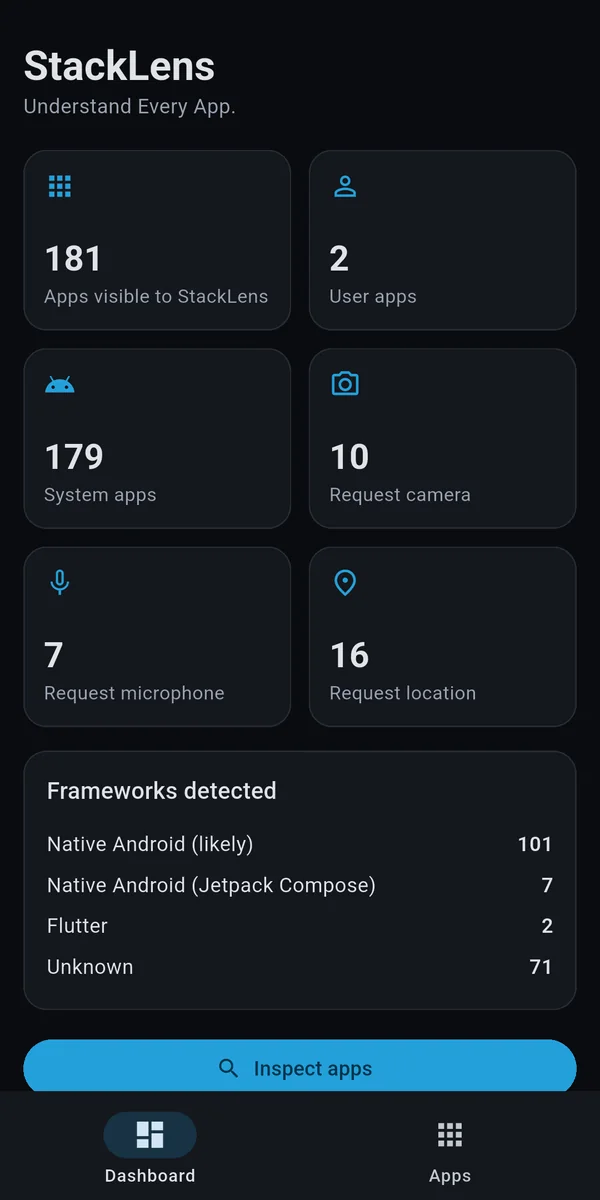
- No internet permissionCan't send your data
- No adsNothing in your way
- No accountsOpen it and start
- No analyticsNo tracking at all
See how apps are built
Flutter, React Native, or native?
StackLens looks for known signs of these technologies in each app and tells you what it found.
- Flutter
- React Native
- Unity
- Xamarin
- .NET MAUI
- Cordova
- Capacitor
- Native Android
- Jetpack Compose
If nothing matches, StackLens says the framework is unknown instead of guessing.
Evidence, not guesses
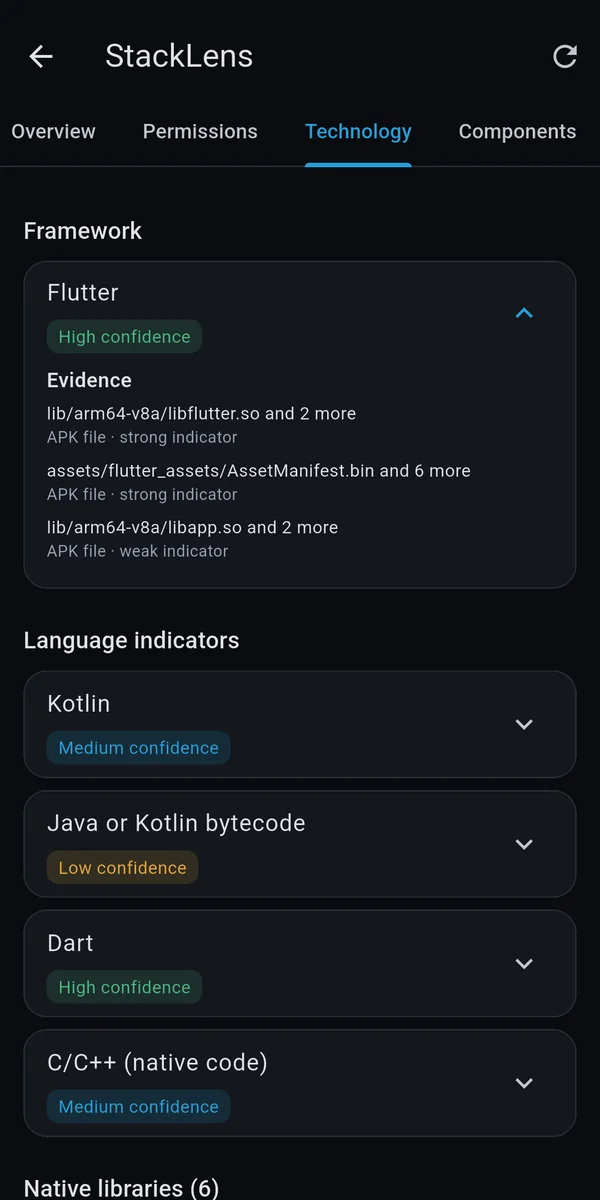
Every result shows how sure it is, and why.
Open any result to see the files or components it's based on.
Two or more strong indicators
One strong indicator, or two or more weak ones
One weak indicator
Languages
Indicators for Kotlin, Dart, JavaScript, .NET, and native code
Native libraries
Browse each app's native libraries and the CPU architectures it supports
Split APKs
Results cover the base APK and every split installed with it
Understand app permissions
What each app asks for, and what it's allowed.
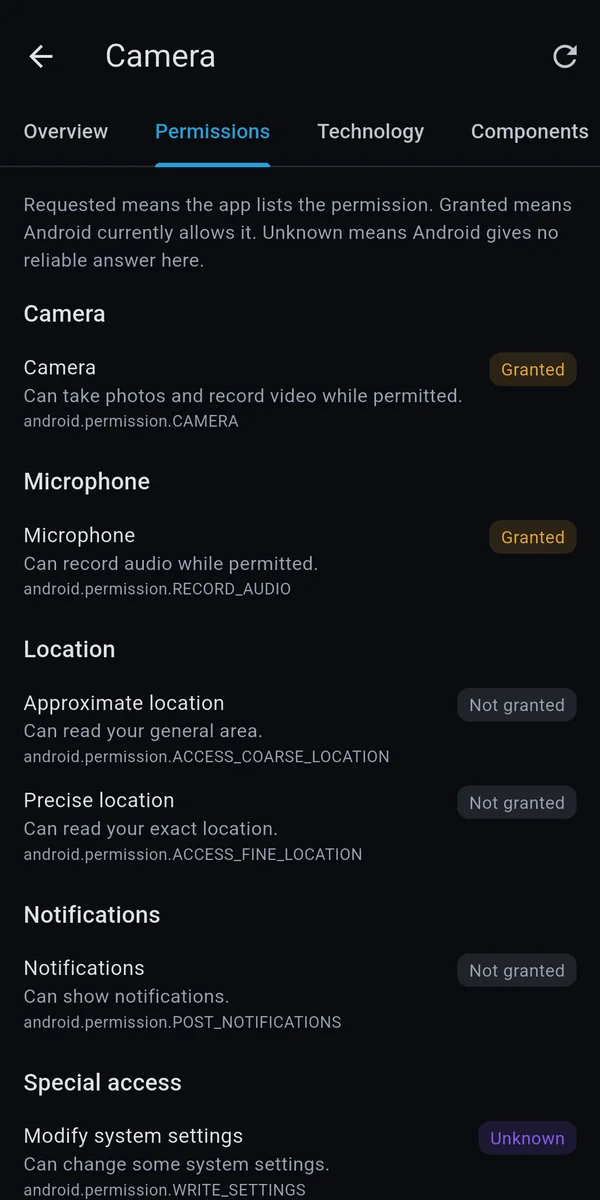
- See every permission an app requests, grouped by type
- Check whether each one is granted, not granted, or can't be determined
- Read a plain-language explanation of common permissions
- Find out how many of your apps request the camera, microphone, or location
When Android can't give a reliable answer, StackLens shows it as unknown rather than not granted.
Technical details in one place
Everything a developer looks for.
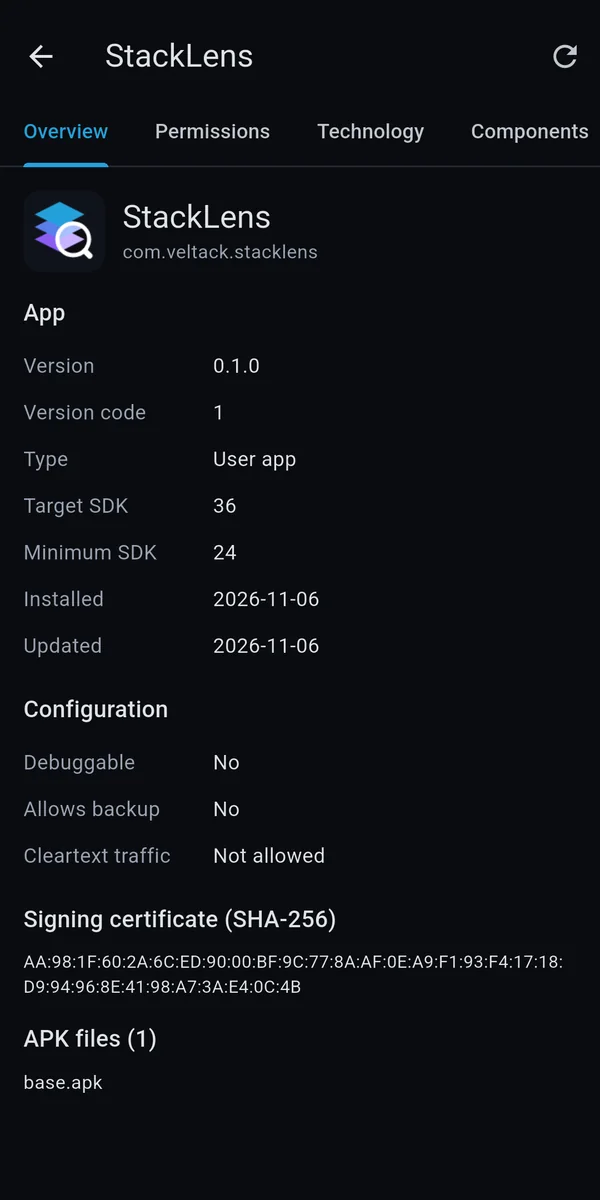
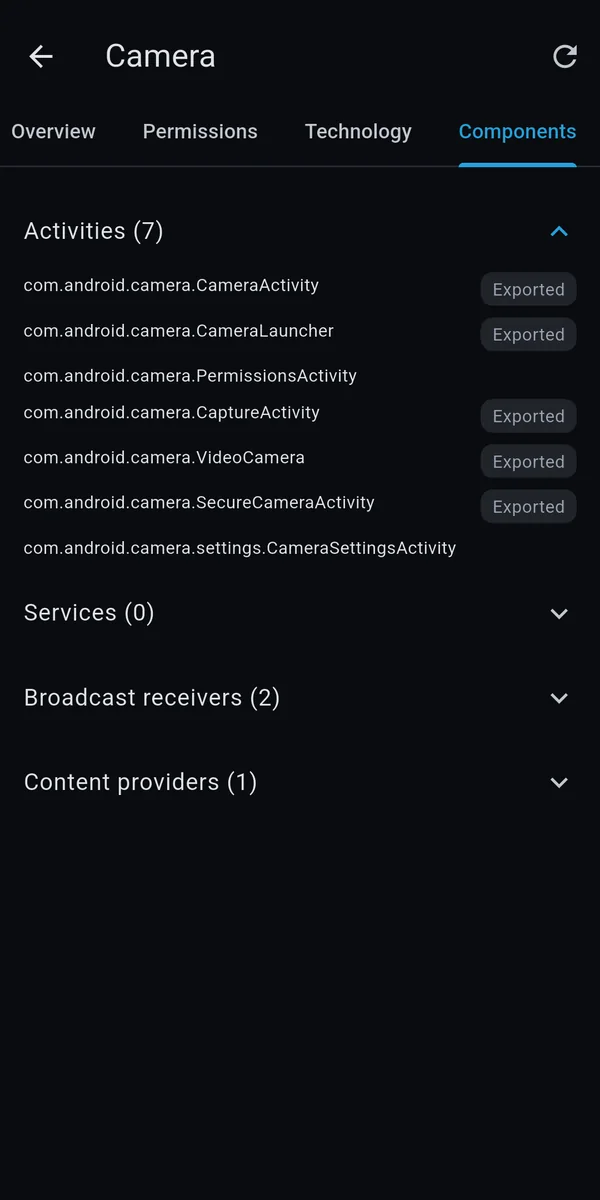
Each app's key details, settings and components on clear tabs.
Go deeper
SDKs, settings, and APK files.
Spot common SDKs
See which well-known SDKs an app includes, such as Firebase, AdMob, Meta, AppLovin, AppsFlyer, OneSignal, Sentry, and Stripe. Each is grouped by type: ads, analytics, attribution, crash reporting, push notifications, payments, and more.
Including an SDK doesn't mean it's active or sending data, and StackLens says so.
Configuration checks
- Debuggable builds, test-only builds, and debug signing certificates
- Apps that target older Android versions or allow unencrypted HTTP traffic
- Exported components that other apps can use without a permission
Settings worth knowing about, not a safety score.
Inspect APK files
Open any APK file with Android's file picker, without installing it, and see the same details as for installed apps: permissions, frameworks, SDKs, components, and signing certificate.
The file is read in a separate, isolated process, nothing in it is run, and the copy is deleted straight away.
Find apps quickly
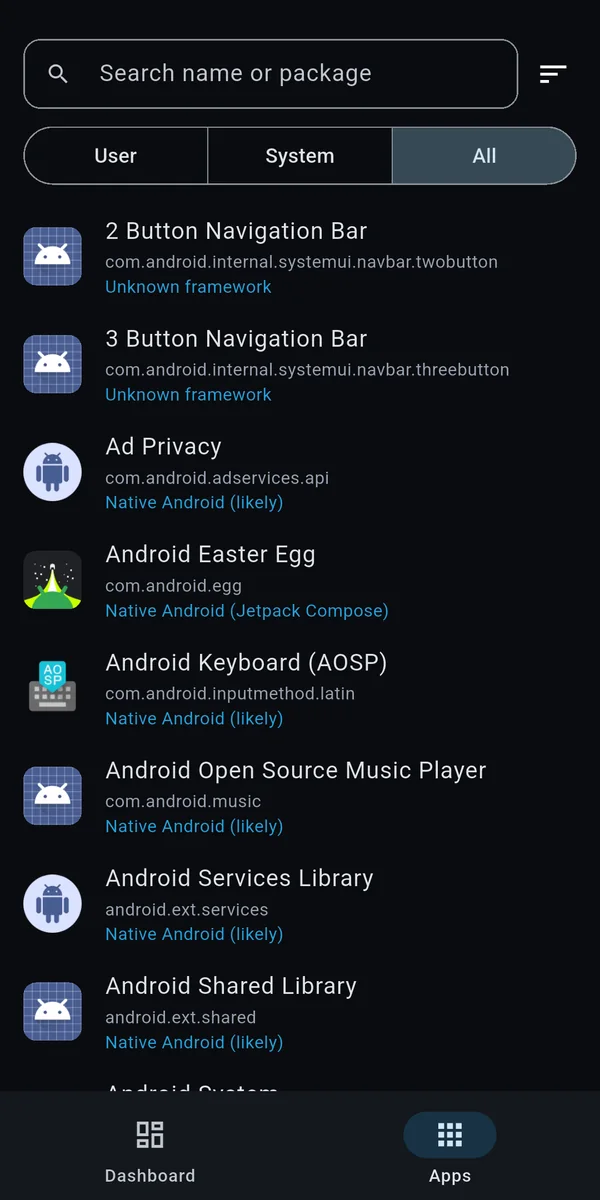
Every app on your phone, searchable.
- Search by app name or package name
- Filter by user or system apps
- Sort by name or by most recently updated
- See framework counts and the most common SDKs across your apps on the dashboard
Your privacy, by design
Your app list stays on your phone.
StackLens uses Android's all-apps access so you can inspect any app on your device. It processes that information only on your device, and it doesn't request Android's internet permission, so it can't send your app list anywhere over the network.
To open faster, StackLens saves scan results in its private storage on your device. You can delete them at any time under About and privacy.
- Internet permission Not requested
- Ads and analytics None
- Accounts None
- Scan results Stay on your device
- Android backup Turned off
Good to know
StackLens identifies technologies from file names and component names, so its results are indicators and can sometimes be wrong.
Requesting a permission doesn't mean an app is misusing it. StackLens is not an antivirus or malware scanner, and it doesn't rate whether an app is safe.
Understand every app.
Free on Google Play, with no ads or accounts.
Available on Google Play